
Markdown
Plume supports the extended set of Markdown known as GitHub Flavored Markdown. For example, tables, task lists, strikethrough text and bare URLs (auto-linked) are supported out of the box.
| Subject | Rating |
| ------- | ------ |
| Poetry  | 0/10   |
| Towels  | 5/5    |

- [x] Know where your towel is
- [ ] Enjoy Vogon poetry

~~So long, and thanks for all the fish.~~

Read more at https://hitchhikers.guide
For an overview of the Markdown syntax check out the Markdown Basic Syntax and Markdown Extended Syntax guides.
In addition to the GitHub Flavored Markdown spec Plume supports some additional features detailed below.
Table of Contents
A table of contents can be rendered by adding the [[TOC]] placeholder to your Markdown file where you would like it to be rendered. The placeholder will be replaced with a list of links to the header tags (h1 - h6) within the document when published.
---
title: Don't Panic
published: 1970-01-01 00:00:00
---

[[TOC]]

Your post contents goes here...
Heading Anchors
Every heading (i.e. h1 - h6) is automatically assigned a permalink anchor. Hovering over a heading reveals a # symbol which links directly to that heading.
To link directly to a heading from elsewhere, append its anchor to the URL.
example.com/post/my-post#content-my-headingNOTE
Heading anchors are prefixed with content-:
Syntax Highlighting
Code blocks are syntax highlighted with Shiki. Tag a fenced code block with a language to enable highlighting.
```php
echo 'Hello, world!';
```
Shiki supports 100+ languages, see the Shiki Languages documentation for the complete list.
TIP
You may customize the theme used for highlighting via the SHIKI_THEME_ID environment variable.
Alerts
"Alerts" (a.k.a. callouts or admonitions) are an extension of the blockquote syntax useful for emphasizing important information. Alerts render as block quotes with a distinctive color and icon to emphasize the content.
> [!NOTE]
> Useful information that users should know, even when skimming content.

> [!TIP]
> Helpful advice for doing things better or more easily.

> [!IMPORTANT]
> Key information users need to know to achieve their goal.

> [!WARNING]
> Urgent info that needs immediate user attention to avoid problems.

> [!CAUTION]
> Advises about risks or negative outcomes of certain actions.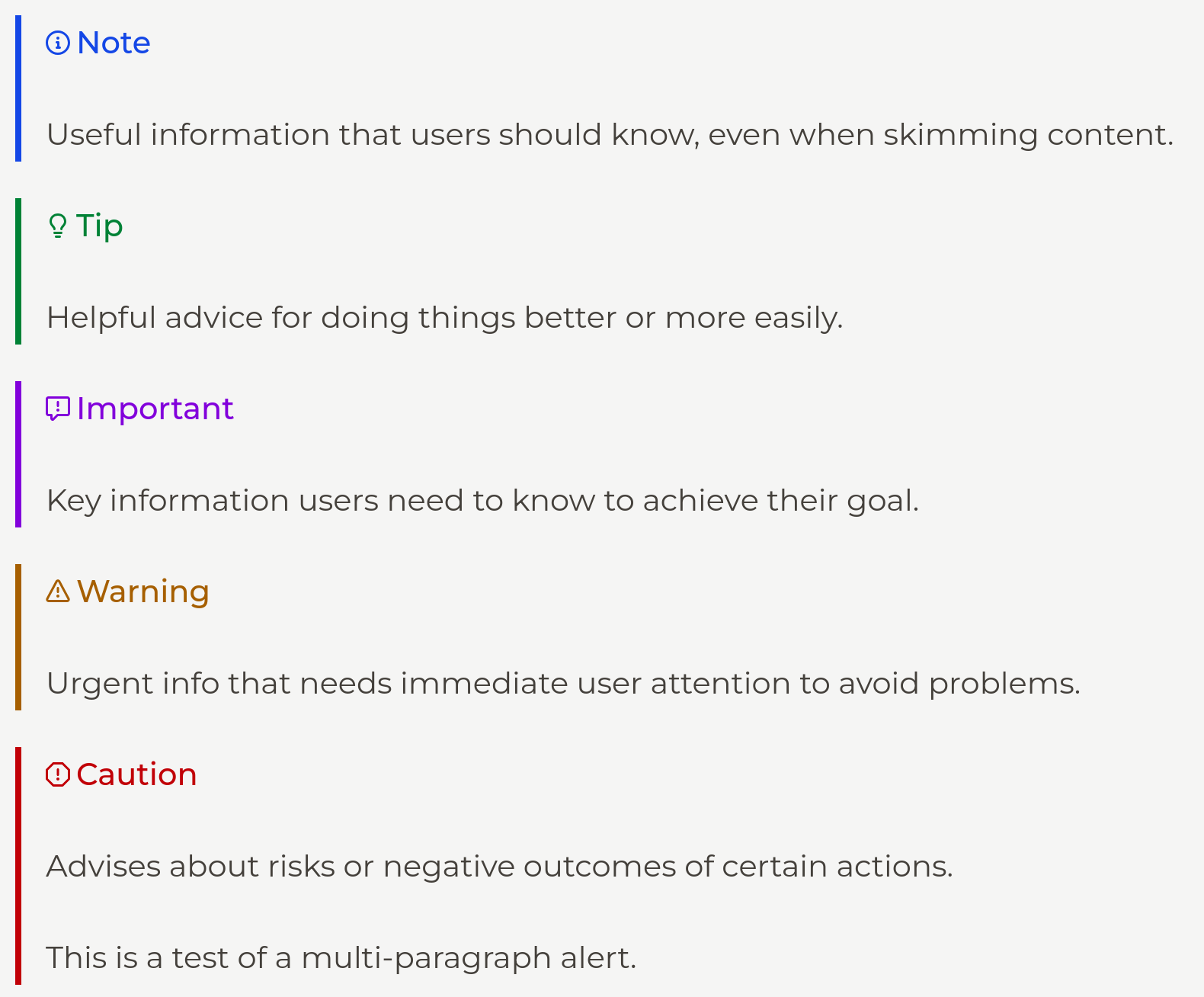
Footnotes
Footnotes allow you to add annotations or references to your content. These render as superscript markers linked to a list of notes at the bottom of the document.
The answer to life, the universe and everything is 42.[^1]

[^1]: See *The Hitchhiker's Guide to the Galaxy* for details.
Description Lists
Description lists pair terms with their definitions.
Vogon
: A bureaucratic alien race famous for their terrible poetry.
HTML
Raw HTML may be used alongside Markdown in your content.
WARNING
For security reasons <script> tags are not rendered. Script tags will be displayed as plain text in your content rather than executed.
See the troubleshooting documentation for more information.
Images
Images can be uploaded to the data/files folder and referenced in your post markdown or raw HTML.
or
<img src="/files/some-image.png" alt="Image Alt Text" />Make sure you preface the file path with a forward slash (i.e. /).
You may also organize your images in arbitrary sub-folders as long as your links follow suit. For example, an image at data/images/some-post/example.png can be referenced like so.
TIP
You may use the BASE_URL environment variable to rewrite relative image URLs in your rendered content, e.g. when serving your site from a different domain.
Embeds
Coming soon...